It’s been a while since I’ve been on a Mac–it hasn’t been my primary for the last couple of laptops. Currently running a Framework 16 as my daily driver…of course, the RAM/storage crisis has made me rethink all of that…but, for now, it’s running Arch magnificently and is a pretty awesome machine.
So, when the MacBook Neo was unveiled, I decided to snag one as my secondary. The Framework is, really, too large to fit in my backpack. So, I’ve had an HP laptop (also running Arch) as my secondary–my travel laptop. Couldn’t resist the notion of going back to macOS with the announcement, though, so I’ve passed that HP on.
So far, the machine seems like it’ll do nicely. It does all the basic tasks quite well and, despite having an A18 Pro in it (the CPU/GPU that was in the iPhone 16 Pro), it seems it’ll do fairly well beyond even those basics.
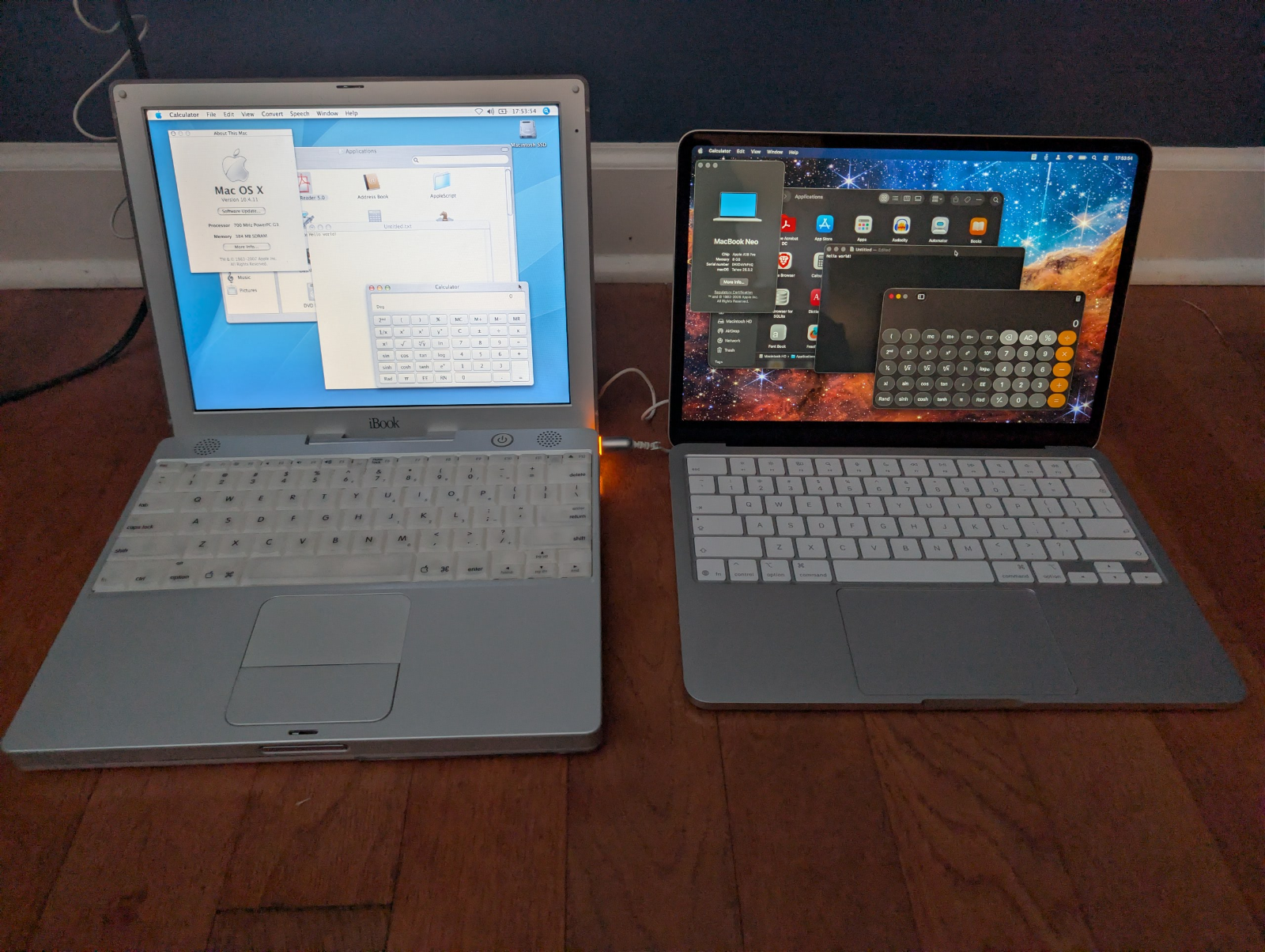
I’ve set it up over the last few days, settling into it. I generally roll with SynologyDrive for all of my documents, so that wiped out roughly half of the storage space (512GB). Between that and all of the “essential” apps, I’m down to about 20% capacity. I think that’ll, generally, do nicely considering it’s a secondary laptop and I’m not really going to add a lot to it. If space does become an issue, I’ll probably reconsider the notion of switching to offline mode with SynologyDrive.
One thing in setup, though, and something that I find I have to rediscover when I come back to macOS is the notion of how to make SMB mounts auto-mount after every reboot. It’s a much simpler process in Windows, and even Linux. There’s an autofs service that can be utilized in macOS, but I decided to go a bit of a different route.
I’m fairly saavy with the notion of using ZSH scripts whenever I need to on whatever platform I’m on–whether it’s Linux, macOS or even via WSL in Windows. So, I decided to go that route here. The script is fairly basic, and I may tweak this as time goes on. But, I have a list of servers/shares up top and the script does a pre-launch wait for WiFi to initialize. Then it attempts to connect to each share in the list. It’ll attempt 6 times every 5 seconds on each.
#!/bin/zsh

# Define your list of mounts: "server:share"
MOUNTS=(
    "server1:share1"
    "server1:share2"
    "server2:share1"
)

TAG="mount-shares"
INITIAL_WAIT=20 # Seconds to wait for Wi-Fi to stabilize
MAX_RETRIES=6    # Total retries per server
RETRY_DELAY=5    # Seconds between retries

log_msg() {
    echo "$1"
    /usr/bin/logger -t "$TAG" "$1"
}

# 1. Give the system a head start for Wi-Fi to initialize
log_msg "Waiting $INITIAL_WAIT seconds for network initialization..."
sleep $INITIAL_WAIT

# 2. Iterate through mounts
for item in "${MOUNTS[@]}"; do
    server="${item%%:*}"
    share="${item#*:}"

    log_msg "Attempting to mount $server/$share..."

    # Wait for connectivity
    count=0
    while ! /sbin/ping -c 1 -t 2 "$server" >/dev/null 2>&1; do
        count=$((count + 1))
        if [ $count -ge $MAX_RETRIES ]; then
            log_msg "ERROR: $server unreachable after $MAX_RETRIES attempts. Skipping."
            break # Move to next server in the array
        fi
        log_msg "Host $server unreachable, waiting $RETRY_DELAY seconds (attempt $count)..."
        sleep $RETRY_DELAY
    done

    # If the ping succeeded or finished retrying, attempt the mount
    if /sbin/ping -c 1 -t 2 "$server" >/dev/null 2>&1; then
        /usr/bin/osascript -e "mount volume \"smb://$server/$share\"" 2>&1 | /usr/bin/logger -t "$TAG"

        if [ $? -eq 0 ]; then
            log_msg "Successfully mounted $server/$share."
        else
            log_msg "ERROR: Failed to mount $server/$share."
        fi
    fi
done
Then you have to create what’s called a LaunchAgent that runs when you login. This is put under ~/Library/LaunchAgents.
<?xml version="1.0" encoding="UTF-8"?>
<!DOCTYPE plist PUBLIC "-//Apple//DTD PLIST 1.0//EN" "http://www.apple.com/DTDs/PropertyList-1.0.dtd">
<plist version="1.0">
<dict>
    <key>Label</key>
    <string>com.user.mount-shares</string>
    <key>ProgramArguments</key>
    <array>
        <string>/Users/<user>/bin/mount-shares</string>
    </array>
    <key>RunAtLoad</key>
    <true/>
</dict>
</plist>
After that, it’s a simple matter of registering it so that it’ll run on login.
launchctl load ~/Library/LaunchAgents/com.user.mount-shares.plistAnd voila!
It’s a bit simpler and less invasive than going in with sudo and fiddling with all of the hoops for getting this working with autofs.
Other than that little adventure, setting up my new MacBook Neo has been pretty vanilla. I tried a bit of light gaming on it. I play xonotic almost daily, which is based on the Quake 3 engine–which is long in the tooth now, but it’s a good Unreal Tournament type of vibe. Minecraft seems to work very well, too, though I wouldn’t exactly consider that too heavy. Blue Prince and Silksong off of Steam play well though, again, they’re not exactly leading edge in rendering or anything. My DOSBox packaged games work magnificently, of course. I just won’t be playing Helldivers 2 or Indiana Jones and the Great Circle on it.
It looks like doing .NET dev on it will be feasible. I’ve already cloned a pair of my projects off of my gitlab server, and they run well after some initial config–namely getting the connection string straight, since I’m using sqlite DBs with both. I’ve settled on a new location for them which I will make universal to both Linux and Mac. Overall VS Code runs quite well, as do the apps themselves.
Ultimately, down the line, I may pass this one on to offspring when it’s time to upgrade. However, I think if Apple keeps with this line of laptops it may end up remaining my secondary laptop. There’s talk from the tech talking heads out there of the possibility of Apple eating Google’s lunch when it comes to affordable laptops in education. We’ll see. Personally, though, I think it’ll be a great device–kind of a modern analog to my G3 iBook, back in the day.